Git and ReadTheDocs#
First steps#
In order to use ReadTheDocs I try to used one of my repositories in my GitLab account, but because Im in a private group and ReadTheDocs (free) only works with public repository, that didnt work.
Then I created a repo in a free account in GitHub, and use the protocol SSH and my public key to link my pc with GitHub. At this moment, I can work with Github and GitLab at the same time.
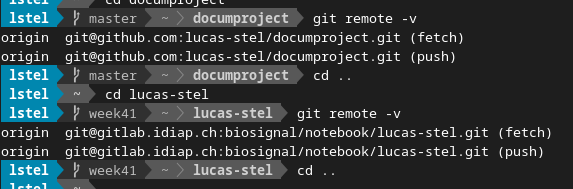
Capture using the command remote#
Finally, I cloned the repository and I put the sphinx project in the folder.
Using ReadTheDocs#
Before going to the site of Read its necessary create the files readthedocs.yml and requeriments.txt in our repo directory. They work together to specificate the extensions, packages, themes, etc, that will be required by the project.
The position and code of each one are:
I - readthedocs.yml:
nameproject/readthedocs.yml
version: 2
formats: all
python:
  version: 3
  install:
   - requirements: docs/requirements.txt
system_packages: true
II - requeriments.txt*:
nameproject/docs/requeriments.txt
ipykernel
nbsphinx
furo
etc, etc, etc.
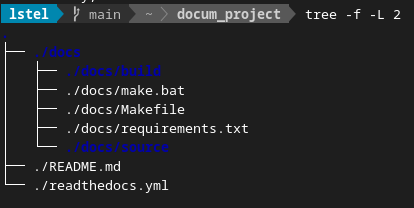
Position of each file#
When this files are in position with its specifications its possible start the upload of the repo in the site of Read. Here is a good quick start guide of the process.
Final dynamic#
Finally to update the site of the project I have to work with sphinx and GitHub:
Follow this path has some advantages:
Keep the site update.
I get used to using git, Github, the terminal, sphinx, several things at the same time, etc.
Read allow generate a pdf file of the site.
I can really see the utility of track changes using a VSC.
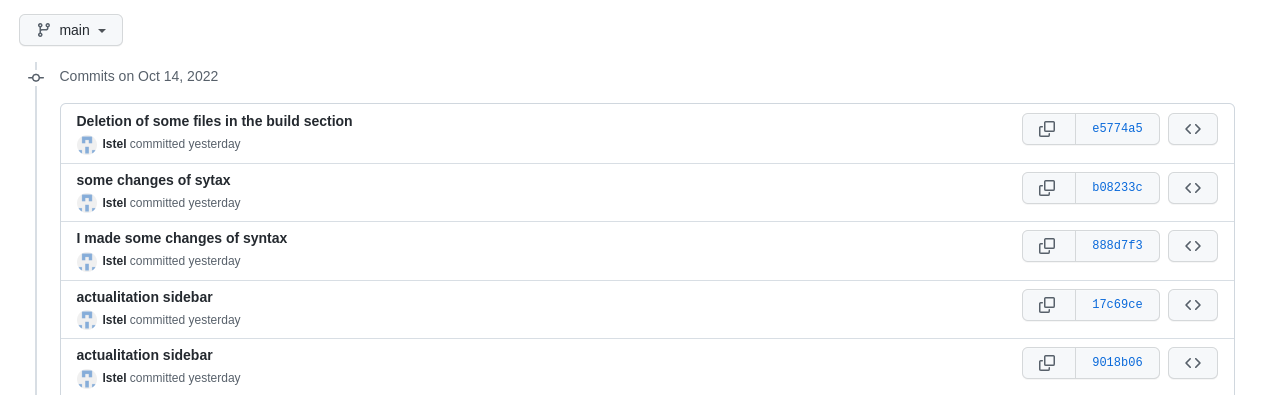
Track in time of each change in the project#
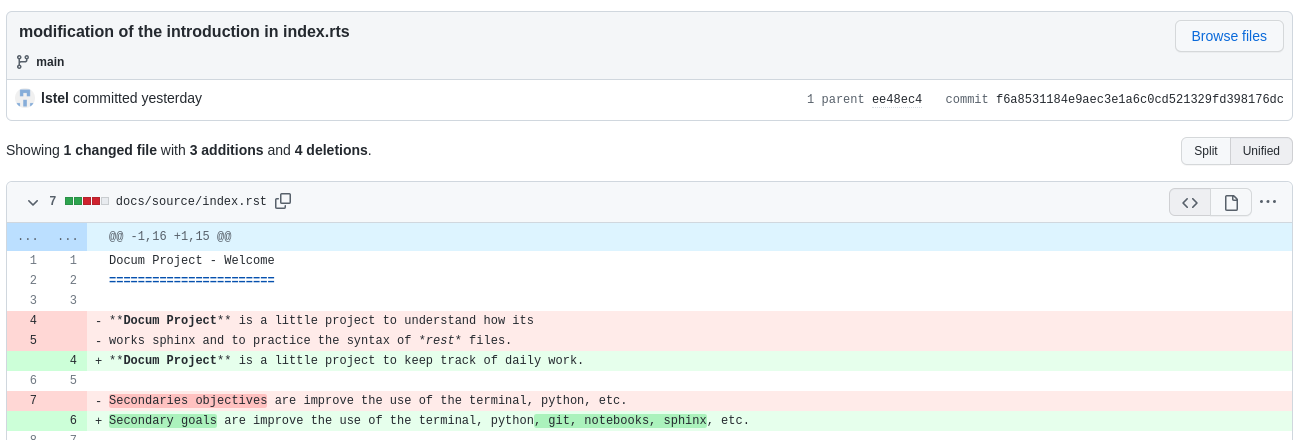
The details of the changes of each file#