Flowcharts - Graphviz and Mermaid#
Graphviz#
This is an example of a flowchart using graphviz
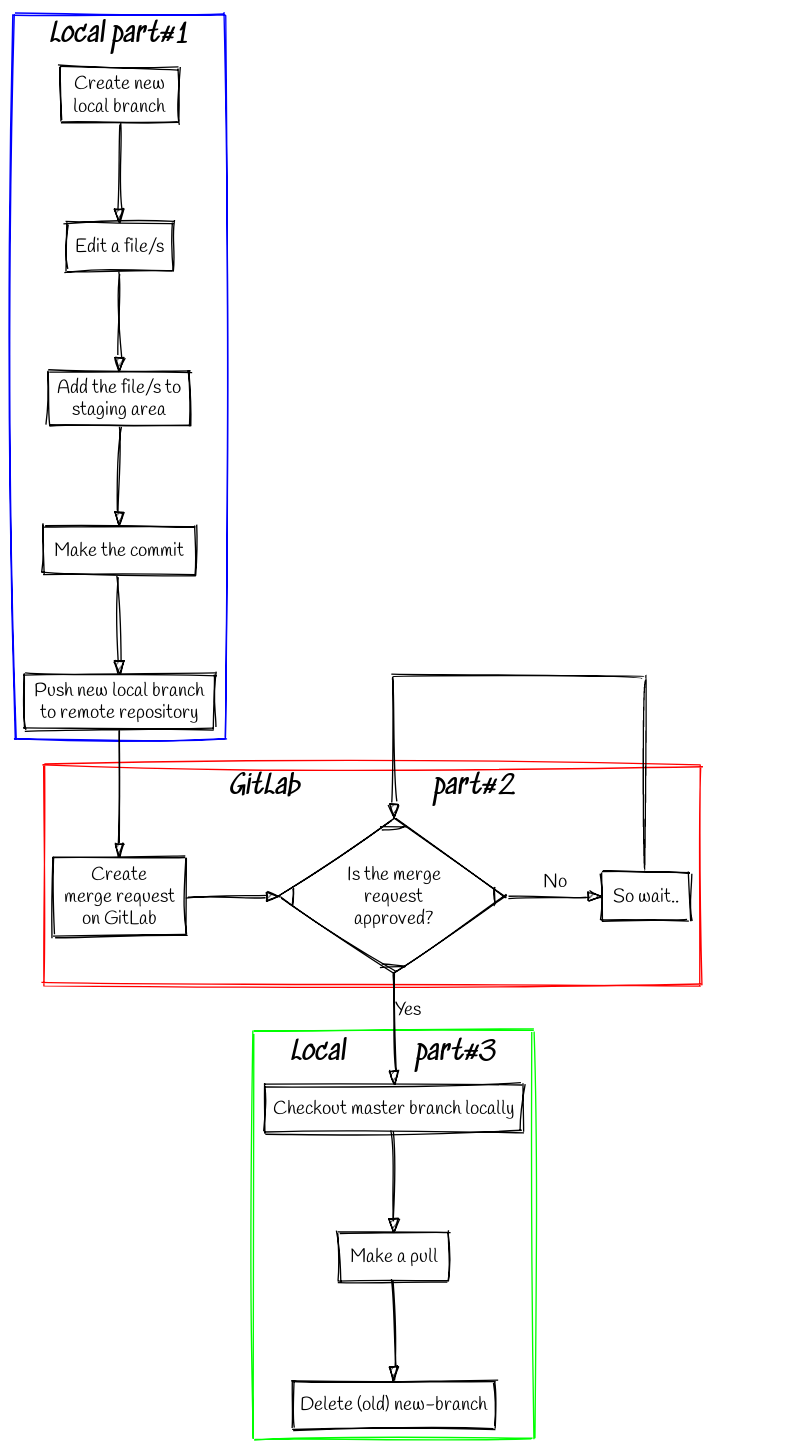
An example using graphviz - click to see better.#
The corresponding code in .dot is,
### Normal work in git/gitlab ####

 digraph L {
 # General settings
 node [fontname = "Handlee"];
 splines=false;
 bgcolor=transparent;

 # Blocks
 subgraph cluster_local1 {
 label = "*Local part#1*";
 fontsize = 20;
 color=blue
 step1 [ label = "Create new\n local branch", shape=block];
 step2 [ label = "Edit a file/s", shape=block];
 step3 [ label = "Add the file/s to\n staging area", shape=block];
 step4 [ label = "Make the commit", shape=block];
 step5 [ label = "Push new local branch\n to remote repository", shape=block];
 }
 subgraph cluster_remote {
 label = "*GitLab                   part#2*";
 fontsize = 20;
 color=red
 step6 [ label = "Create\n merge request\n on GitLab", shape=block];
 step7 [ label = "Is the merge\n request\n approved?", shape=Mdiamond];
 step8 [ label = "So wait..", shape=block];
     {
     rank=same;
     step6; step7; step8;
     }
 }
 subgraph cluster_local2 {
 label = "*Local          part#3*";
 fontsize = 20;
 color=green
 step9 [ label = "Checkout master branch locally", shape=block];
 step10 [ label = "Make a pull", shape=block];
 step11 [ label = "Delete (old) new-branch", shape=block];
 }

 # Steps
 step1 -> step2 -> step3 -> step4 -> step5;
 step5 -> step6 -> step7;
 step7 -> step9 [label = "Yes"; fontname = "Handlee"];
 step7 -> step8 [label = "No"; fontname = "Handlee"];
 step9 -> step10 -> step11;

 # Something extra to do the loop line in the check box
 {
 rank=same;
 guess2; point2;
 }
 guess2 [
   label = "              ";
   color= white ;
 ];
 point2 [
   label = "                                       ";
   color=white;
 ];
 step8:n -> point2:n [ arrowhead = none ];
 guess2:n -> point2:n [ arrowhead = none ];
 guess2:n -> step7:n;

 }
To understand the code, we can divide it in three sections:

A graph to explain other graph#
For each instance is possible define format, rank, labes, etc.
Mermaid#
Other tool to do flowcharts is Mermaid writing in markdown:

An example using mermaid.#
The corresponding code in .md is,
## Mixing flowchart + md files

- How I tried to do a flowchart in Graphviz :sweat: :sweat: :sweat:
- Testing **mermaid**

---

```mermaid

 flowchart TB
 AA[I started today in the morning] --> A[I recived the infomation]

 subgraph ide1 [ ]
 A--> B[I read the documentation]
 B --> C[I read the examples and I played with them]
 C --> D{I started a flowchart}
 D -->|First..| E[I tried to understand the syntax]
 D -->|..and then| F[I did some test]
 E --> G[Some things went well other went not so well]
 F --> G[Some things went well other went not so well]
 G --> H{{I continued}}
 H --> I(((I uploaded the files)))

 end
 ```